

Setting up artwork for Monogramming
Requirements for foil Monogramming:
- Submit all of the initials within a spreadsheet
- Confirm your choice of foil colour
- Confirm of font style and the size (Times New Roman or Granby)
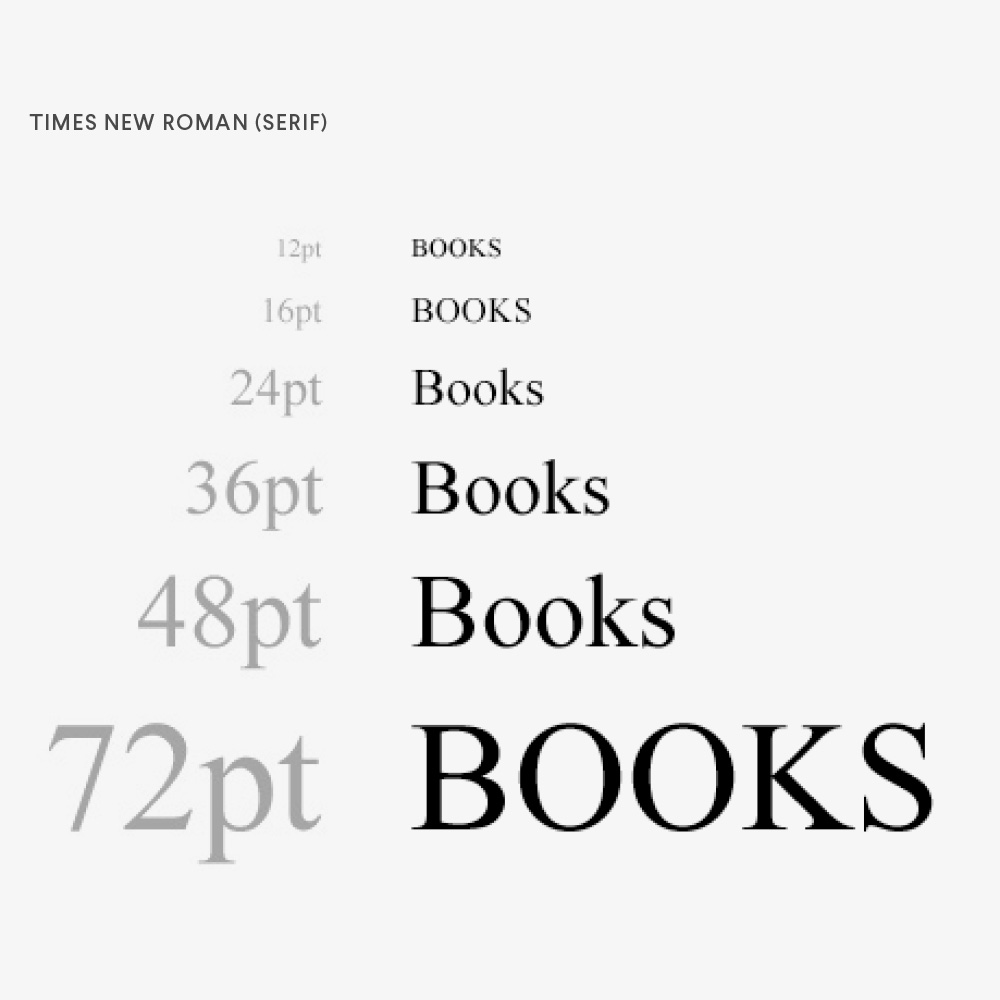
Times New Roman (Serif) Font
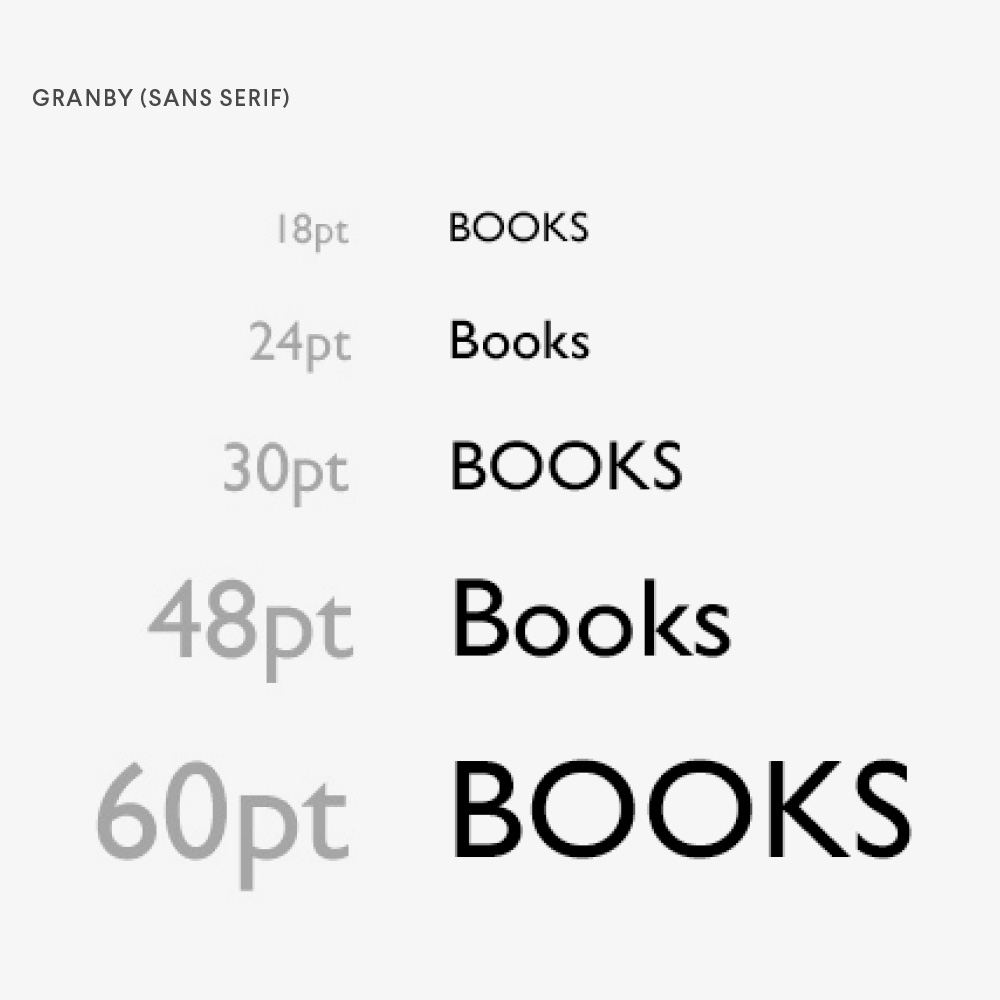
Granby (Sans Serif) Font
Requirements for UV Monogramming:
- A single Illustrator file containing all set of initials – place each set of initials on separate artboards
- The fonts must be sized exactly how you would like them
- The fonts need to be supplied in CMYK colour profile
- All text to be outlined (vectorised)
Setup your artboards by opening Adobe Illustrator and creating a new file. Set your file size to 3cm width and 3cm height, that should leave plenty of space for medium sized fonts, for anything larger you might want to make the artboard 5cm instead. Ensure that your file is set to CMYK colour mode, you can do this by selecting the colour mode in your new document window.
Once you have created the file, click into the Properties panel on the right hand side and add as many artboards as you need. Remember each of the initial sets needs to be placed into their own artboards.
Then simply add your text into each artboard and add a colour that you want us to print.
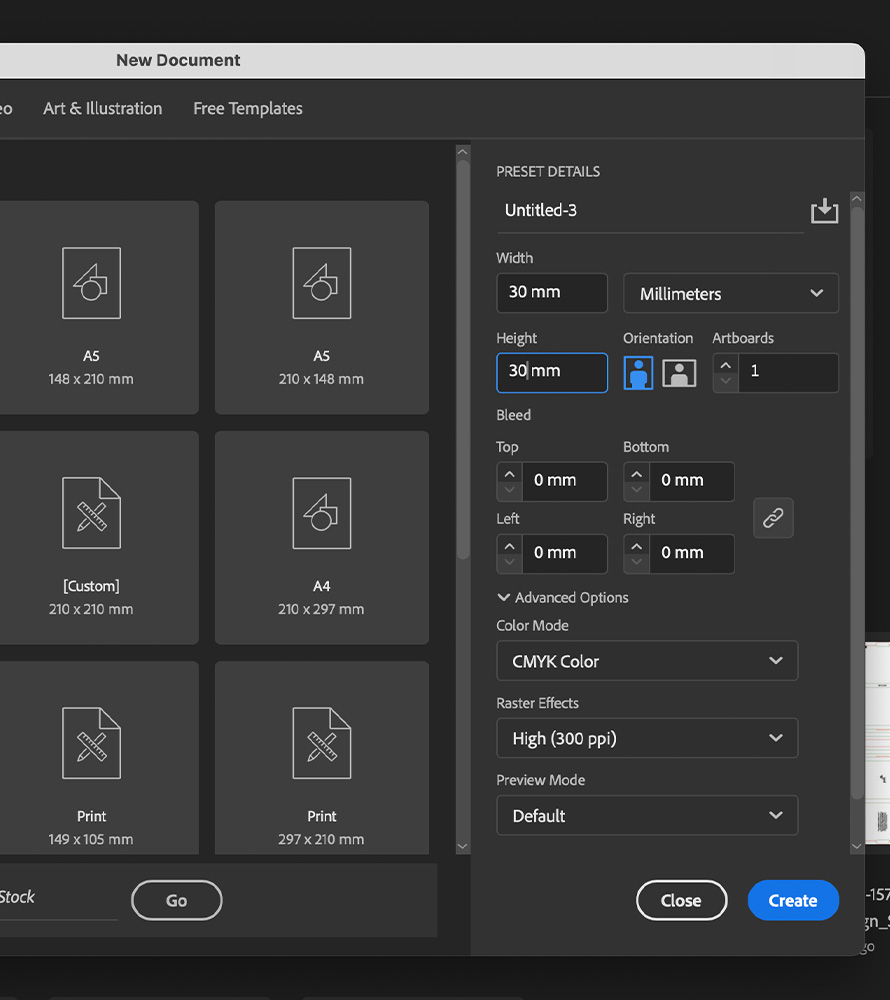
Create an artboard between 3 – 5cm large
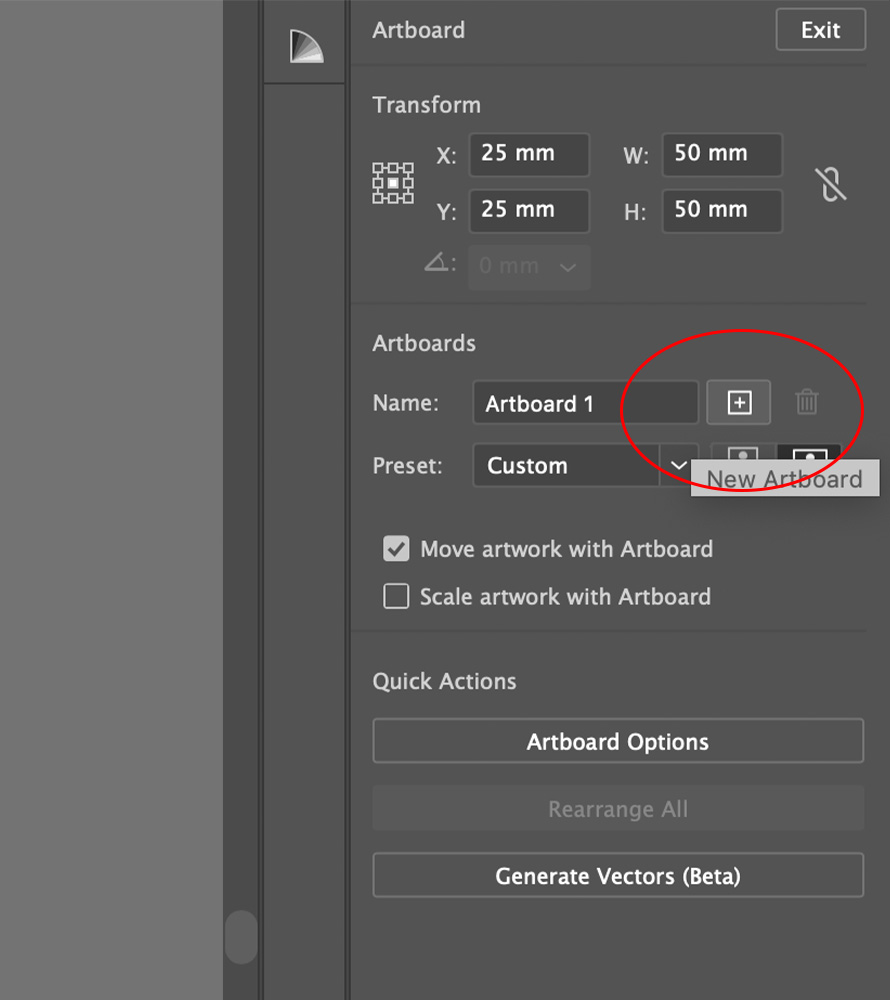
Create an artboard for each set of initials
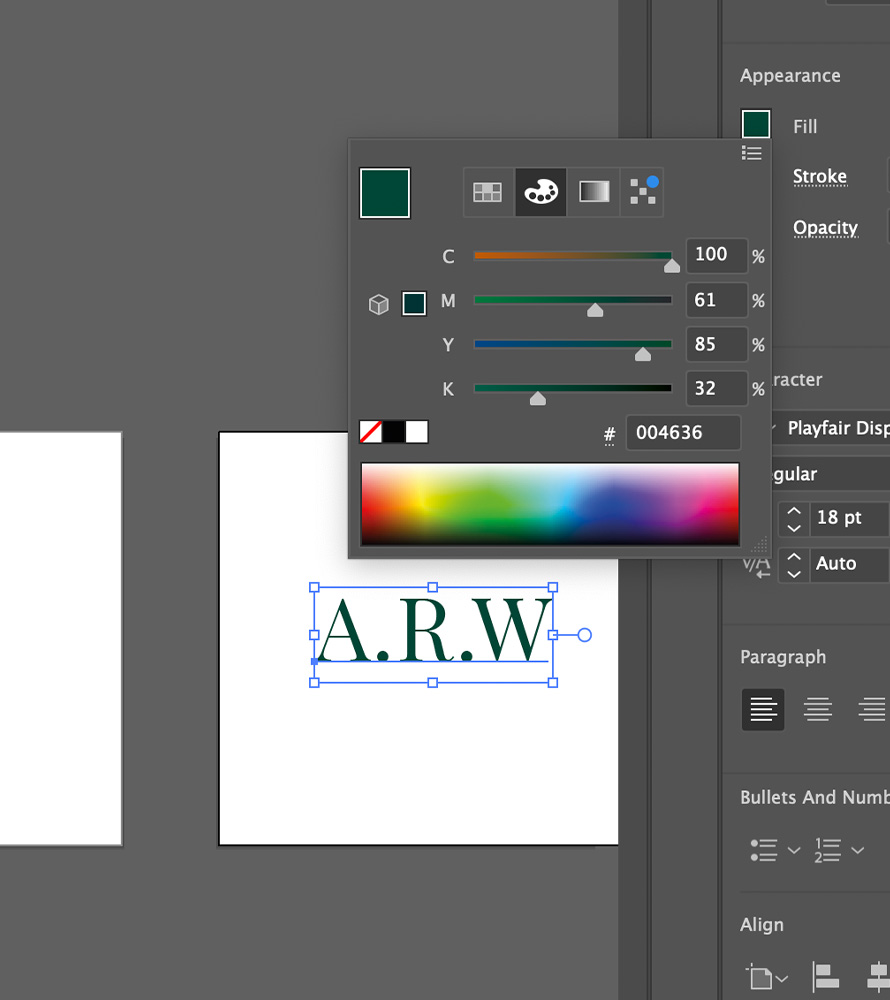
Choose a CMYK colour for your text
Before sending artwork to print it’s important to outline all the text in your file. When you outline your fonts, the software displays all of that as shapes rather than a font file. This will ensure that there are no missing fonts or changes in typography styles when files are supplied for print.
How to: Select the text you want to outline, go to the menu and select Type > Create Outlines (or press Shift + Ctrl + O on Windows / Shift + Command + O on Mac).
Once all of the artboards are filled out, simply export your file for print. To do this simply click File > Export > Export as > Adobe PDF > Marks & Bleeds > All printers Marks > Export PDF.
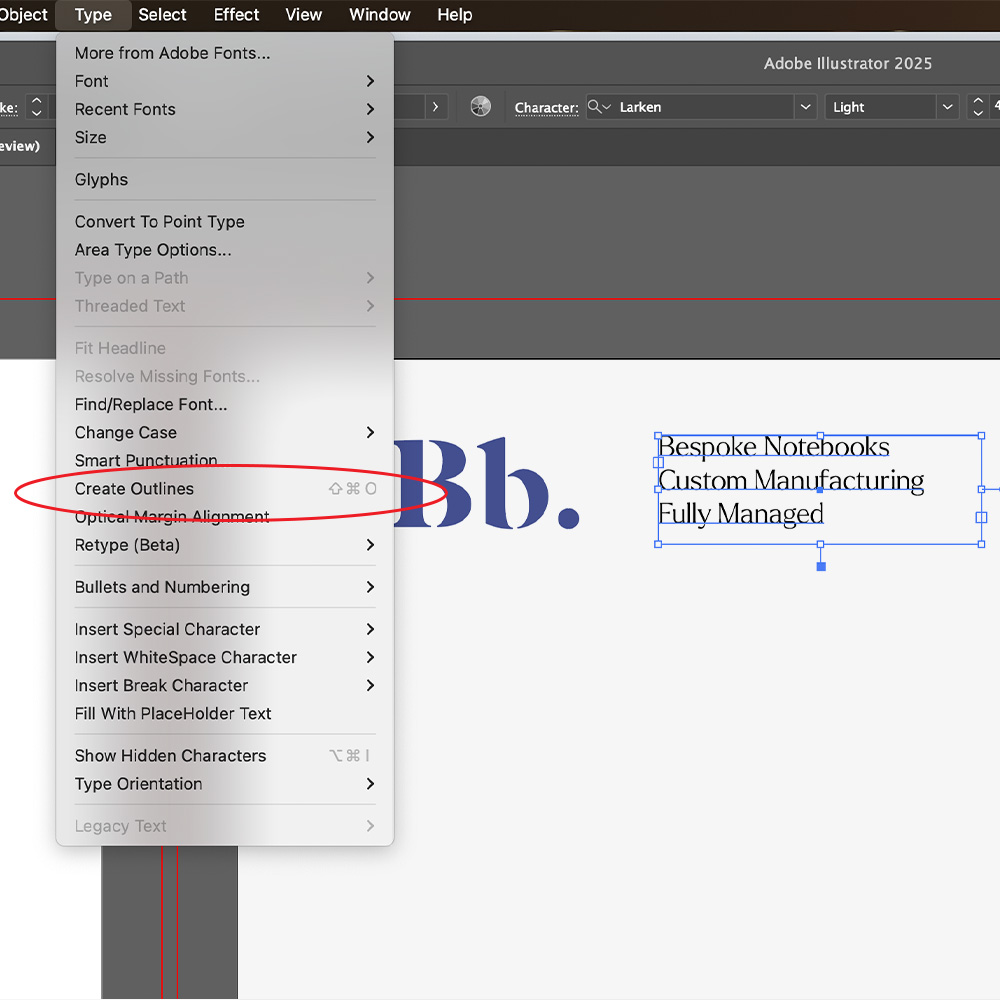
Vectorise file: Type > Create Outlines
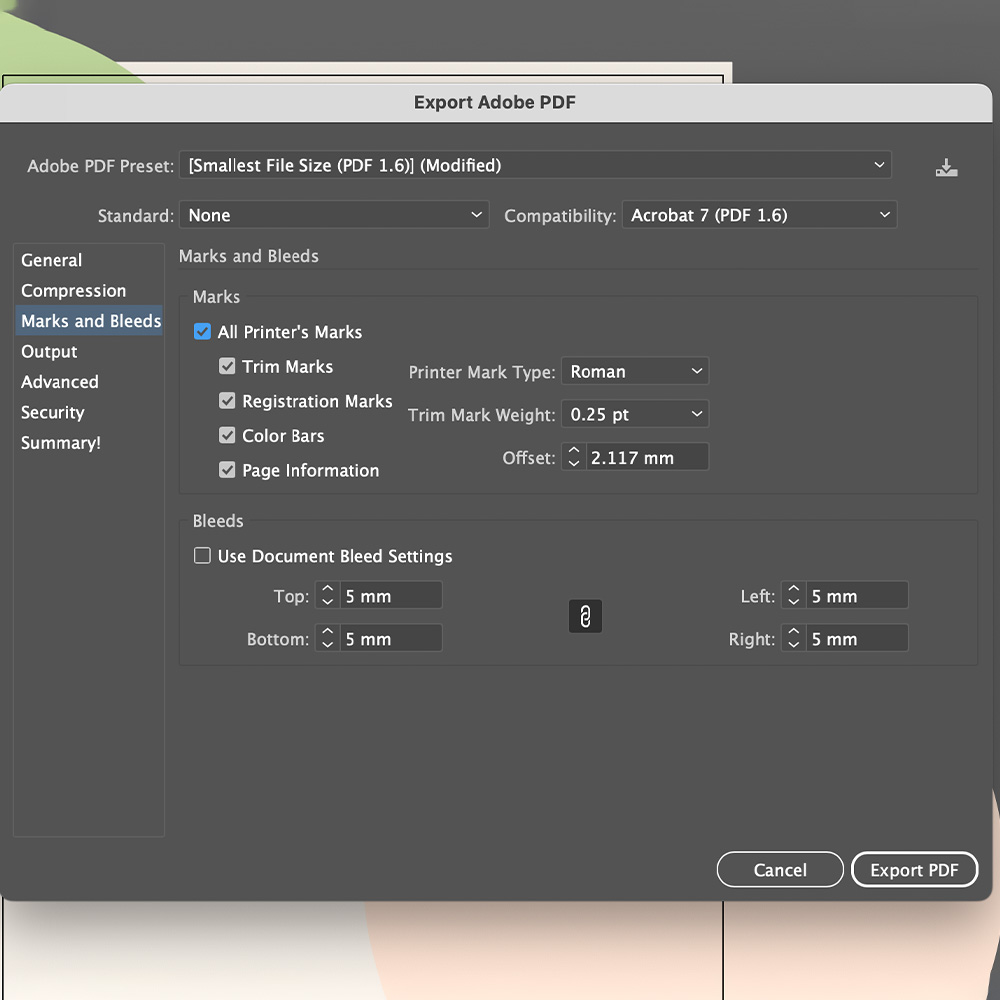
Save your file with all of the applicable marks and bleeds
Monogramming
Monogramming is a branding method used to embellish notebooks with the user’s initials. Monogramming is most commonly done with foil but we can also do this in UV, offering a larger colour and font range.
Monogramming is a great way to add a level of personalisation to notebooks by including the recipient’s own initials on the cover.
This customisation requires a list of initials provided to us in a spreadsheet, which ensures that each notebook is personalised correctly. Monogramming is typically done with foiling, so you’ll need to specify the colour of the foil (e.g. gold, silver, rose gold). If you would prefer to monogram using UV, we will provide you with a template to fill with the initial’s designs.

The most popular options for foiling are metallic gold and metallic silver. However, there are many other options available. The colours include:
Black, Matte Black, Gold, Matte Gold, Rose Gold, Copper, Silver, Matte Silver, Matte Grey, Royal Blue, Navy, Purple, Red, Pink, White and Matte White.
We offer a selection of standard font options for monogramming. These will be provided for you to choose from once the order is confirmed. If you have a specific font request, let us know, and we’ll see if we can accommodate it.