

When designing a custom notebook or journal, many creators focus on cover design, branding, and paper quality. However, one of the most important and often overlooked aspects of print production is pagination.
Pagination determines how pages are organised within a document and how content flows across the finished product. Getting it wrong can lead to printing errors, incorrect page order, layout issues, and expensive production delays.
In this guide, we explain why pagination matters in print design, how it affects notebook production, and how to avoid common mistakes when preparing artwork for print.
What Is Pagination in Printing?
Pagination refers to the process of dividing a document into pages and arranging text, images, and other elements into a structured layout. It also includes the numbering of pages and how content is distributed across spreads.
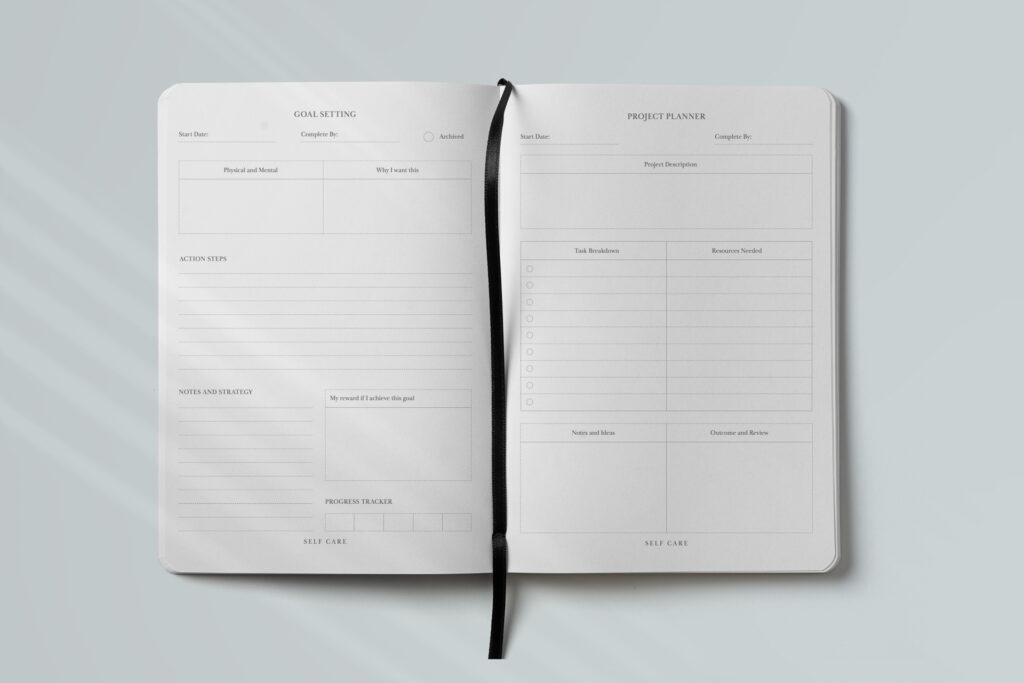
In notebook and journal production, pagination ensures that all elements such as text blocks, graphics, captions, page numbers, and margins are placed correctly so the document remains readable and visually balanced.
The configuration of a book block, which constitutes the inner pages of a journal, is crucial for structural integrity and aesthetic. These inner pages are typically organized into sections, commonly consisting of 16 or 32 pages, though a section can have as few as 4 pages.
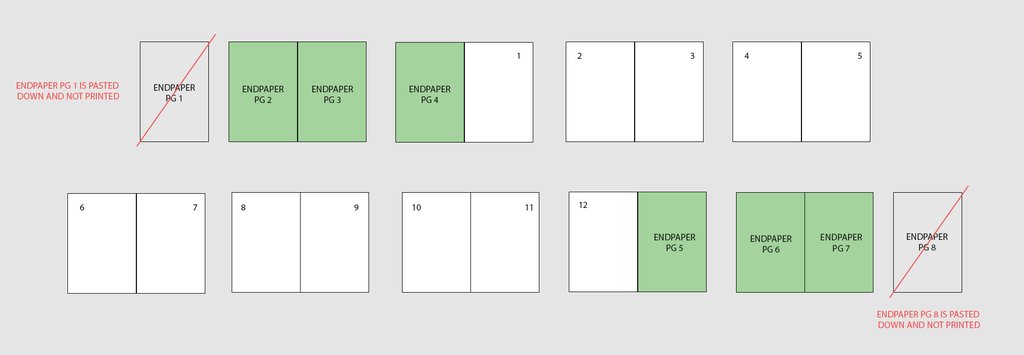
Pagination refers to the placement of pages within in a document. A book starts on ‘page one’, which is always on the right-hand side. Odd pages (1,3,5,7…) are on the right, even pages (2,4,6,8…) are on the left. This is otherwise known as the front of the page (odd) and the back of the page (even).
End-papers, end-sheets or end-pages are separate from your inner pages, inside pages, or inner block. They connect the cover to the inside pages, and are found at the front and back of the book. You should not confuse or mix the pagination of your end papers and inner pages if you can help it, keeping them in separate PDFs.
Why Pagination is Important for Print Files:
Logical Flow: Ensures the content follows a coherent and readable order.
Print-Specific Layout: Prepares files for printing with correct page order for your book style
Consistency: Maintains design uniformity across pages, such as headers, footers, numbering, and spacing.
Technical Requirements: Aligns the document to printer specifications, like paper size (e.g., A4, Letter), bleed areas, and fold lines.
If pagination is incorrect, it can cause:
- Pages appearing in the wrong order
- Missing or duplicated pages
- Blank pages added to meet section requirements
Correct pagination ensures the notebook assembles properly during binding. Getting pagination of your file wrong is not the responsibility of the printer which will end in costly re-prints.
Common Pagination Mistakes to Avoid
When preparing notebook artwork, watch out for these frequent errors:
- Incorrect page counts: Not matching the printer’s required page multiples.
- Page numbers not applied consistently: Always place page numbers on master pages so they update automatically.
- Content too close to the trim edge: Important elements should remain within safe margins.
- Files exported in the wrong order: Files should follow the natural reading order: page 1, page 2, page 3, and so on.
- Inconsistent layouts across spreads: Use grids and alignment guides to maintain visual balance.
Avoiding these mistakes will help ensure your files are print-ready and production-friendly.
Best Practices for Pagination in Notebook Design
To create a professional notebook layout, follow these pagination best practices:
- Use Professional Layout Software: Tools like Adobe InDesign allow designers to manage page numbering, master pages, margins, and spreads easily.
- Plan Your Page Count Early: Choose page counts that align with standard print sections to avoid blank pages.
- Keep Page Numbers Consistent: Set page numbers on master pages so they remain uniform throughout the document.
- Check Margins and Safe Zones: Keep text and important elements away from trim and binding areas.
- Review Print Proofs Carefully: Always check a proof before production to confirm pagination and layout accuracy.
Export A Sample: Export a PDF document with all your pages organised in the correct layout and supply that to your printer so they can reference it. Its especially important for mixed paper stock books or custom printed inserts.