

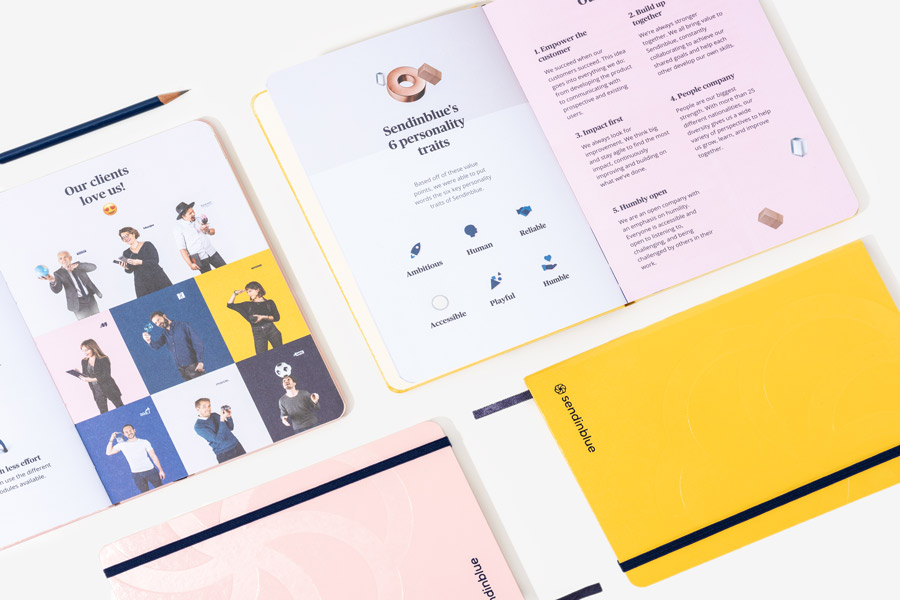
The custom inside pages define how a notebook or journal functions, how it feels in use, and how your brand is experienced over time. Interior printing decisions influence cost, durability, usability, and perceived value. From concept, artwork setup to colour choices and premium upgrades, every detail shapes the finished product.
Core Elements of a Notebook Interior
Pagination and Print Structure
Pagination is the foundation of interior production. In commercial printing, pages are arranged in sections (also called signatures), typically in multiples of 4, 8, or 16 pages depending on the binding method. These sections are printed on large sheets, folded, gathered, and bound together.
This structure affects:
- Total page count – Your notebook must meet the printer’s section requirements. An incorrect page count can result in blank pages or production delays.
- Creep and alignment – In thicker books, inner pages extend slightly beyond outer ones during folding. Layouts must account for this to maintain even margins.
- Page numbering consistency – Page numbers, headers, and footers must align correctly across spreads.
- Export format – Interiors are typically supplied as single pages in reading order unless imposition is specifically requested by the printer.
- Clear pagination planning prevents production errors and ensures efficient press setup.
- Inside Page Artwork Setup
Interior files must meet print specifications to reproduce accurately.
Key technical requirements include:
- CMYK colour mode – All artwork should be converted from RGB to CMYK before submission to ensure colour accuracy.
- Bleed allowance – If artwork extends to the edge of the page, a standard 3mm bleed is required to avoid white edges after trimming.
- Safe zones – Critical content such as text and page numbers should sit within safe margins to avoid trimming or binding interference.
- Image resolution – Images should be supplied at 300dpi at final size for sharp reproduction.
- Consistent layout grids – Structured alignment across spreads improves readability and visual balance.
- Well-prepared files reduce proofing cycles and prevent unexpected output issues.
- Page Layout Types
Colour and Printing Methods
Custom inside page printing options range from monochrome to full-colour CMYK. The decision affects cost, setup complexity, and visual impact.
Black and White Printing
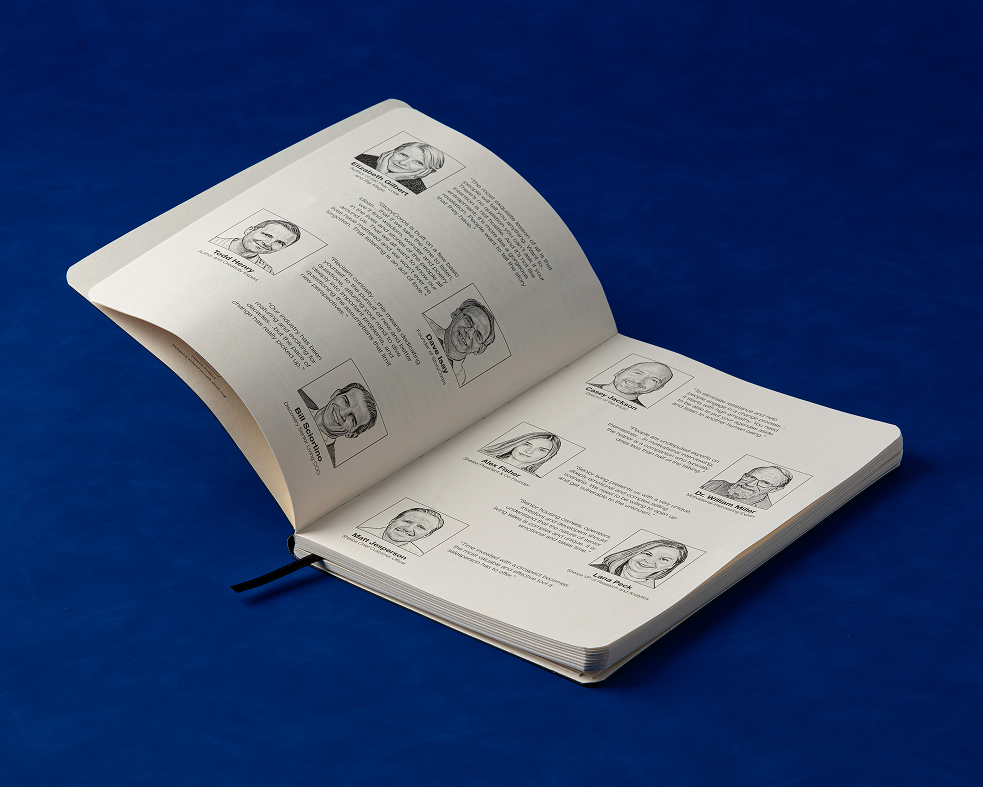
Black and White or Single colour printing remains the most economical option for custom printed interiors. It is suitable for many types of notebooks and journals including:
- Corporate notebooks
- Journals with primarily text-based layouts
- Large-scale bulk orders
- Minimalist brand aesthetics
The benefits of printing in B&W also include delivering strong legibility and clean contrast on uncoated paper stocks. It can help brand alignment through a consistent accent colour while maintaining controlled production costs. B&W printing doesnt mean you’re limited to a single colour, in fact tone variation can be achieved through tints of the same colour, allowing hierarchy without adding another ink. Interiors which include images and icons can also be printed in B&W format making this a very cost effective option for bespoke interiors.
To print in B&W your file setup can be treated just like any, by setting up your file in full colour with all the images and text you desire. Simple ensure your full colour file is set up in CMYK as per any print requirement, then simply follow our guide to greyscale your file. You can find the guide on how to do this in our resources.
Single Colour Printing
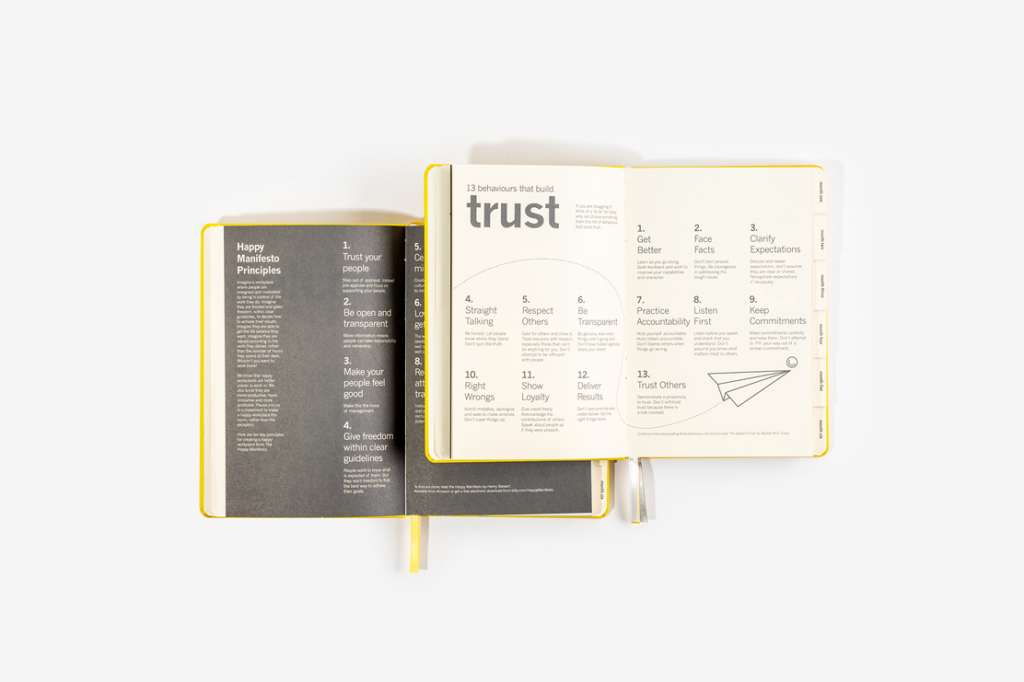
Single colour printing uses one dedicated ink, typically a Pantone or spot colour, throughout the interior. It offers a strong visual identity while maintaining cost control compared to multi-colour or full CMYK printing. This method is suitable for:
- Branded corporate notebooks
- Educational workbooks
- Structured planners
- Campaign or event journals
- Retail stationery
A single colour interior reinforces brand recognition by carrying one consistent colour across every page. It creates cohesion across headings, grids, icons, and graphic elements while keeping production efficient.
Single colour printing does not have to be limiting, by varying the opacity of the same pantone or CMYK colour you’re able to create distinction between primary headings, secondary information, and background elements without introducing additional printing plates. This approach supports structured layouts and graphic elements while maintaining production efficiency.
Custom printed inside pages that include illustrations, diagrams, icons, and image-based artwork can be adapted for single colour output. Imagery can be converted into monotone artwork to ensure consistency across the page block while retaining clarity and definition. This makes single colour printing a cost-effective option for bespoke interiors with strong visual direction.
For file setup, artwork should use a defined spot colour swatch rather than a CMYK build. All elements intended to print in that ink must reference the same swatch to avoid plate separation errors. Files should still be supplied according to standard print specifications, with colour settings prepared correctly for production, you can read more about how to do this on our resource guides.
Two-Colour Printing
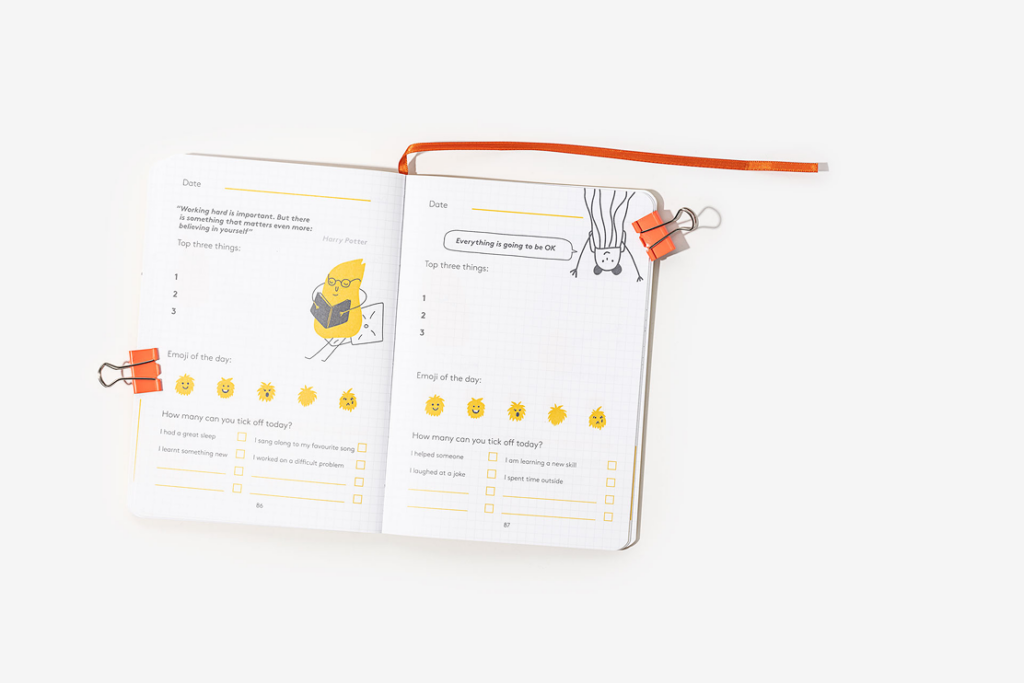
Two colour printing for custom printed inside pages uses two dedicated inks, typically defined as Pantone or spot colours, across the interior. It expands design flexibility while maintaining stronger cost control than full CMYK printing. This method is well suited to:
- Structured planners and organisers
- Educational and training workbooks
- Brand-led journals
- Corporate notebooks requiring clear information hierarchy
- Retail products with graphic-led layouts
Using two colours allows clear visual separation between content types. Headings, grids, instructional text, icons, and section markers can each be assigned a distinct role. This improves navigation across spreads and strengthens layout structure.
Hierarchy can be developed through both colour contrast and opacity variation. Each ink can be used at different opacity percentages to create depth across the page without increasing the number of plates.
Two colour printing is effective for interiors that include diagrams, graphic elements, and illustrated content. Images can be adapted into duotone formats, allowing tonal range while aligning with brand colours. This approach adds character and differentiation to the page block.
For file setup, each ink must be defined as a separate spot colour swatch. All artwork elements must be assigned accurately to their respective colour to ensure correct plate separation during pre-press. Files should follow standard print guidelines, including correct bleed, margins, and resolution requirements. Clear colour separation in the artwork stage prevents registration issues during production. You can find out more about the setup of this in our resource guides.
Full-Colour (CMYK) Printing
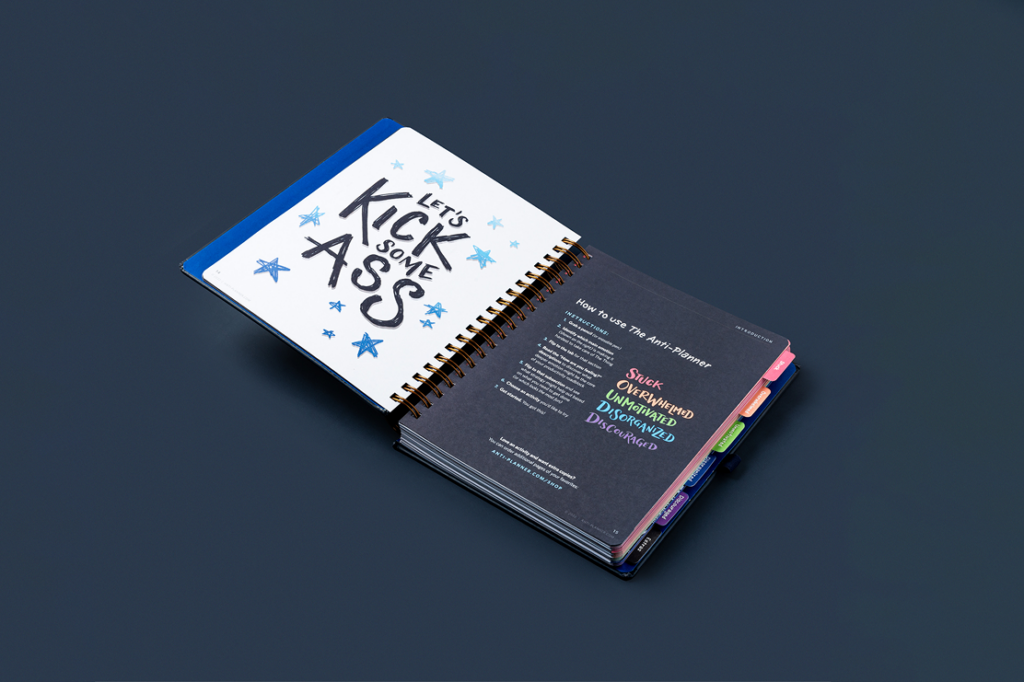
Full colour printing uses CMYK process inks to reproduce a wide spectrum of colours across the interior. It supports detailed graphics, gradients, and photographic content, making it suitable for:
- Image-led journals and lookbooks
- Illustrated planners
- Brand storytelling publications
- Art and design notebooks
- High-impact retail products
CMYK printing allows accurate reproduction of complex artwork, including full-bleed imagery, layered graphics, and rich colour transitions. This enables greater creative freedom across spreads and supports interiors where visual content plays a central role.
Colour consistency relies on correct file preparation. All artwork must be supplied in CMYK colour mode, as RGB files will shift when converted for print. Images should be set at 300dpi at final size to maintain sharpness. Bleed must be included on any artwork extending to the trim edge to prevent white borders after cutting.
Paper selection influences how full colour artwork appears. Uncoated stocks absorb more ink and produce a softer finish, while coated papers retain vibrancy and sharper detail. Ink coverage across large areas can affect drying time and overall production cost, so layouts with heavy background colour should be planned with print specifications in mind.
Full colour interiors require precise pre-press checks to ensure accurate colour builds, consistent blacks, and balanced ink levels across spreads. Proper setup reduces the risk of banding, oversaturation, or unintended colour shifts during production.
Full colour printing offers the widest scope of freedom when it comes to design, by including full colour imagery that elevates the content of each considered page. Full colour printing is the most expensive print option due to the costs involved in setup and inks required but is a must if your journal features intricate detail that relies on impact and vibrancy.
Elevating a Notebook to a Premium Product
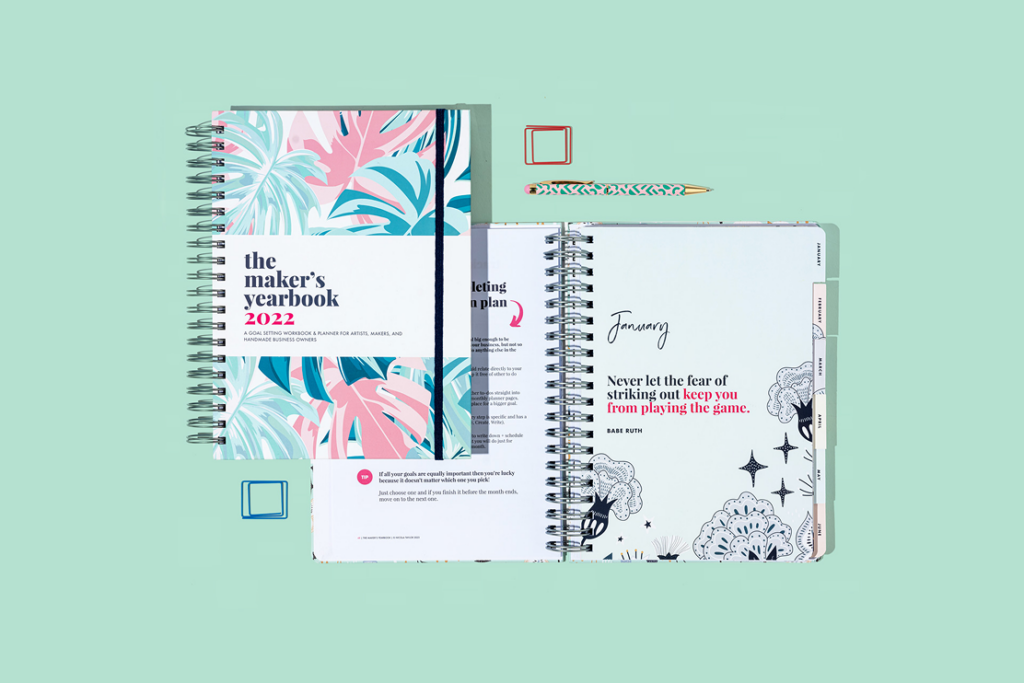
Premium interiors focus on material quality, tactile experience, and added functionality. Considering elements like paper selection, paper weight and texture influence writing experience and ink performance. Heavier stocks (100gsm+) reduce ghosting and bleed-through while uncoated papers provide a natural writing feel and absorb ink effectively.
Ivory papers create a warmer reading tone and recycled papers support sustainability positioning. Paper choice affects how colours reproduce and how the notebook feels in daily use.
Mixed Paper Stocks: Incorporating different paper types within one notebook adds structure and depth. Examples include:
- Thicker divider sections
- Coloured chapter breaks
- Textured inserts
This technique enhances usability and creates visual progression throughout the book block.
Custom Printed Inserts and Endpapers
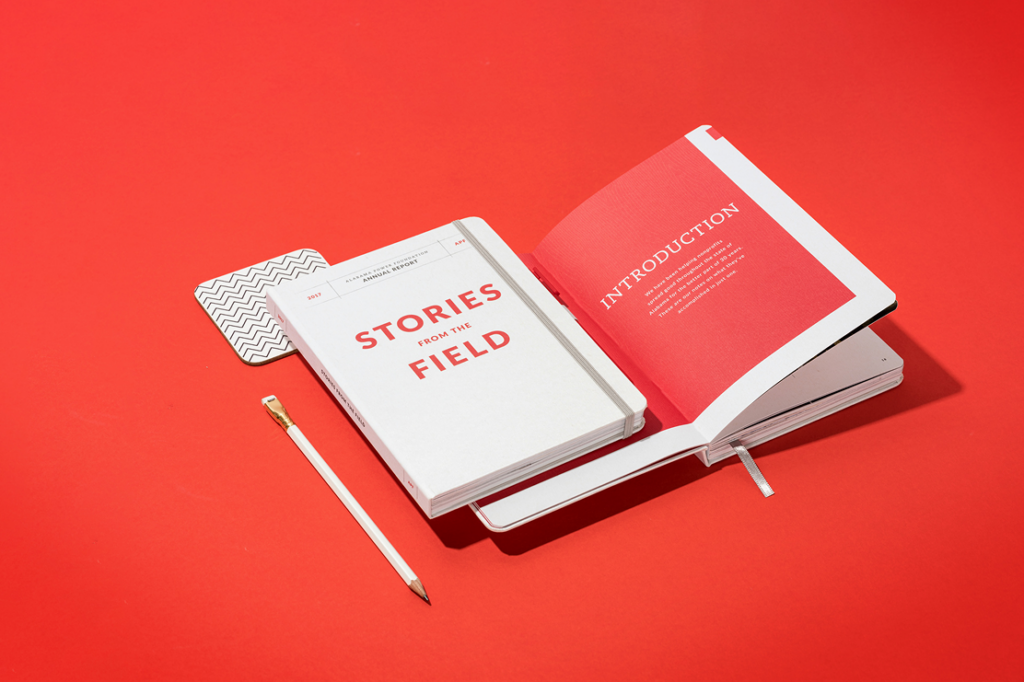
If you’re trying to stay on a lower budget with a simple notebook layout, but would like to include branded elements into your notebook then custom printed endpapers and inserts may be a route to explore. Endpapers serve as the first and last lining pages of your notebook covers, they can be printed or even simple colour pages nut are limited to three pages at the start and end of your planner. Custom printed inserts on the other hand can range from 2-16 pages and can be placed in various places throughout your notebook. There are of course some limitations to their placement which rely on signatures and considered pagination. Inserts can be a great way to include brand storytelling elements within a simple planner, thye can be printed in full colour and on gloss paper to truly stand out. Endpapers and inserts are often use for:
- Brand storytelling
- Introductory content
- Illustrative spreads
- Functional reference material
These elements increase perceived value and create a cohesive product experience.
Conclusion
Interior printing decisions determine how a notebook performs in the hands of the user. Pagination controls structure. Artwork setup ensures print accuracy. Colour choices influence cost and visual identity. Paper selection defines tactile quality. Functional additions such as perforation and indexing increase usability.
By aligning design, production method, and material selection with your budget and brand goals, you can produce journal interiors that meet both practical requirements and premium expectations.